


An overview that points at the problem
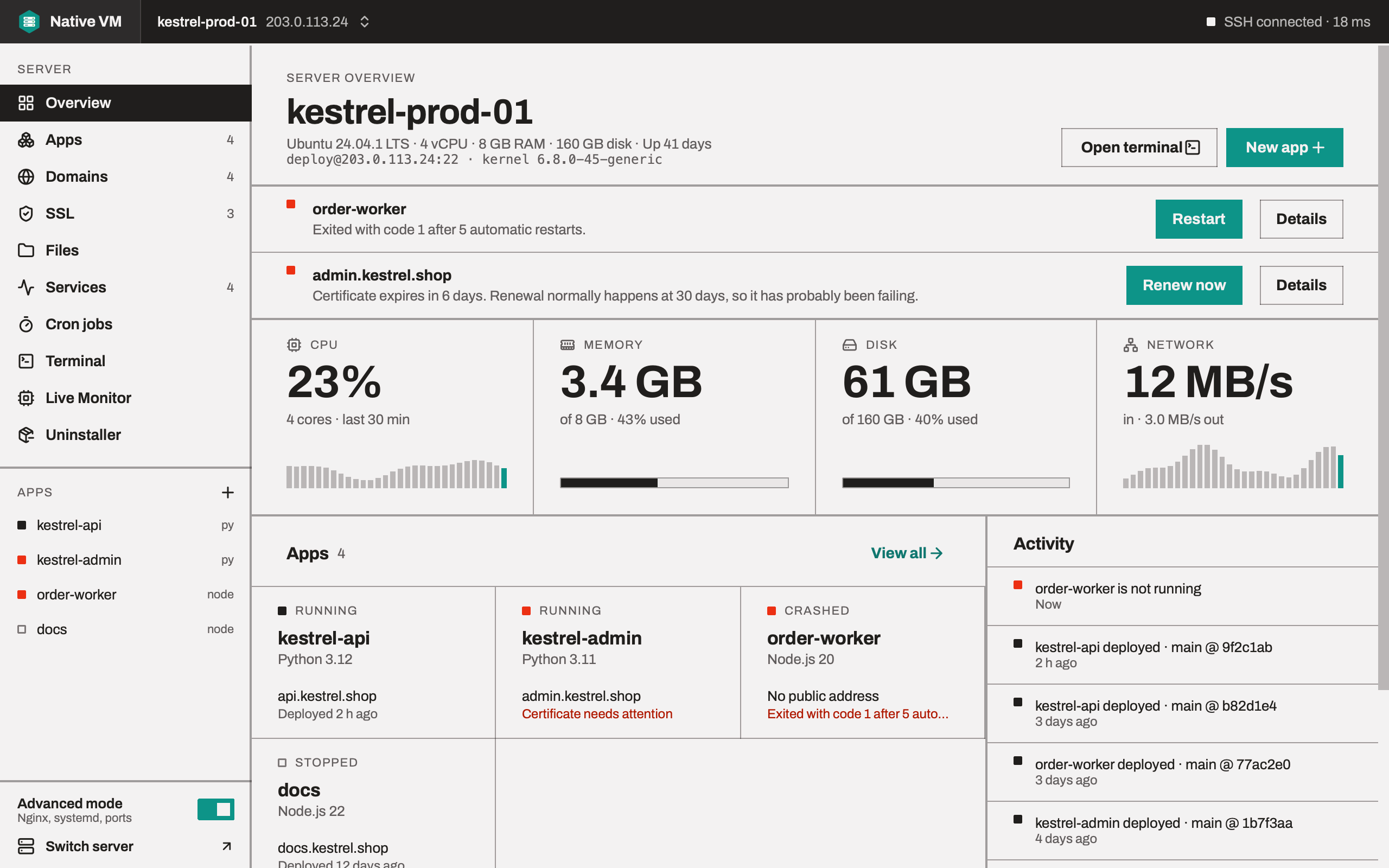
CPU, memory, disk and network, live. A crashed app or a certificate about to expire rises to the top, right beside the button that fixes it.
Native VM is the desktop app that sets up your server, deploys your apps and keeps them running. Push to Git, click Re-Deploy, and you're live. Your keys and passwords never leave your computer.
Pick your framework. Native VM does the rest.
Why Native VM
You already pay for the server. Native VM makes sure you get all of it: nothing of ours runs on it, nothing sits in front of it, and nothing ties you to us.
kestrel-prod-01
4 vCPU · 8 GB
Memory
3.4 GB in use, all of it your apps
No panel, agent or database of ours runs on your server. The CPU and memory you pay for go to your apps, not to the tool that manages them.
Native VM never sits between your visitors and your app. Requests go straight to your server and your code, as fast as it can answer them.
Run more apps on every server, each in its own account and on its own runtime version, with CPU and memory limits if you want them. Add servers as you grow.
Any provider, any Ubuntu or Debian VPS. Your apps are ordinary Linux services that keep running whether Native VM is open or closed.
How it works
No server panel to install and no config files to write. Native VM walks you through each step, and shows you what it's about to change before it does.
One-click CI/CD
Connect your repository once. After that, shipping is one button: Native VM pulls the newest commit, builds it, checks it's healthy and switches over, with the same settings every time. No pipeline to write, and no YAML.
Apps / Web app
kestrel-api
api.kestrel.shop · main @ 9f2c1ab
New on main: Show delivery estimates
4e81d07Interactive demo: press Re-Deploy to ship the newest commit on main.
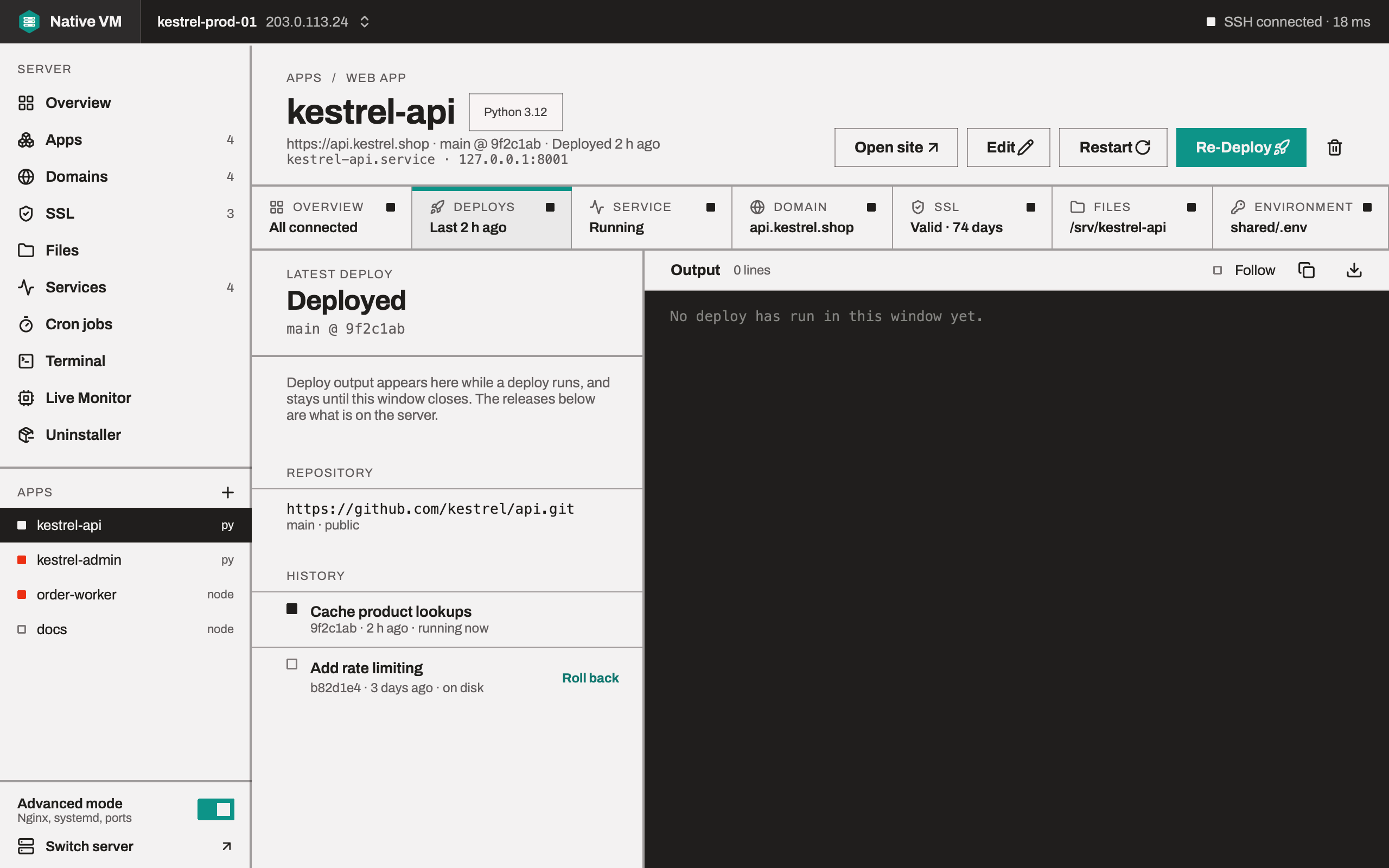
In the app: Re-Deploy sits in every app's header, and the Deploys tab keeps the releases you can roll back to.
A new release only takes over once your app is up and answering. Until then, visitors keep the version that works.
If the new version doesn't start, Native VM switches straight back to the one before. A failed build never takes your site down.
Your last five releases stay on the server, ready to run. Going back to one takes about half a second.
One window per server
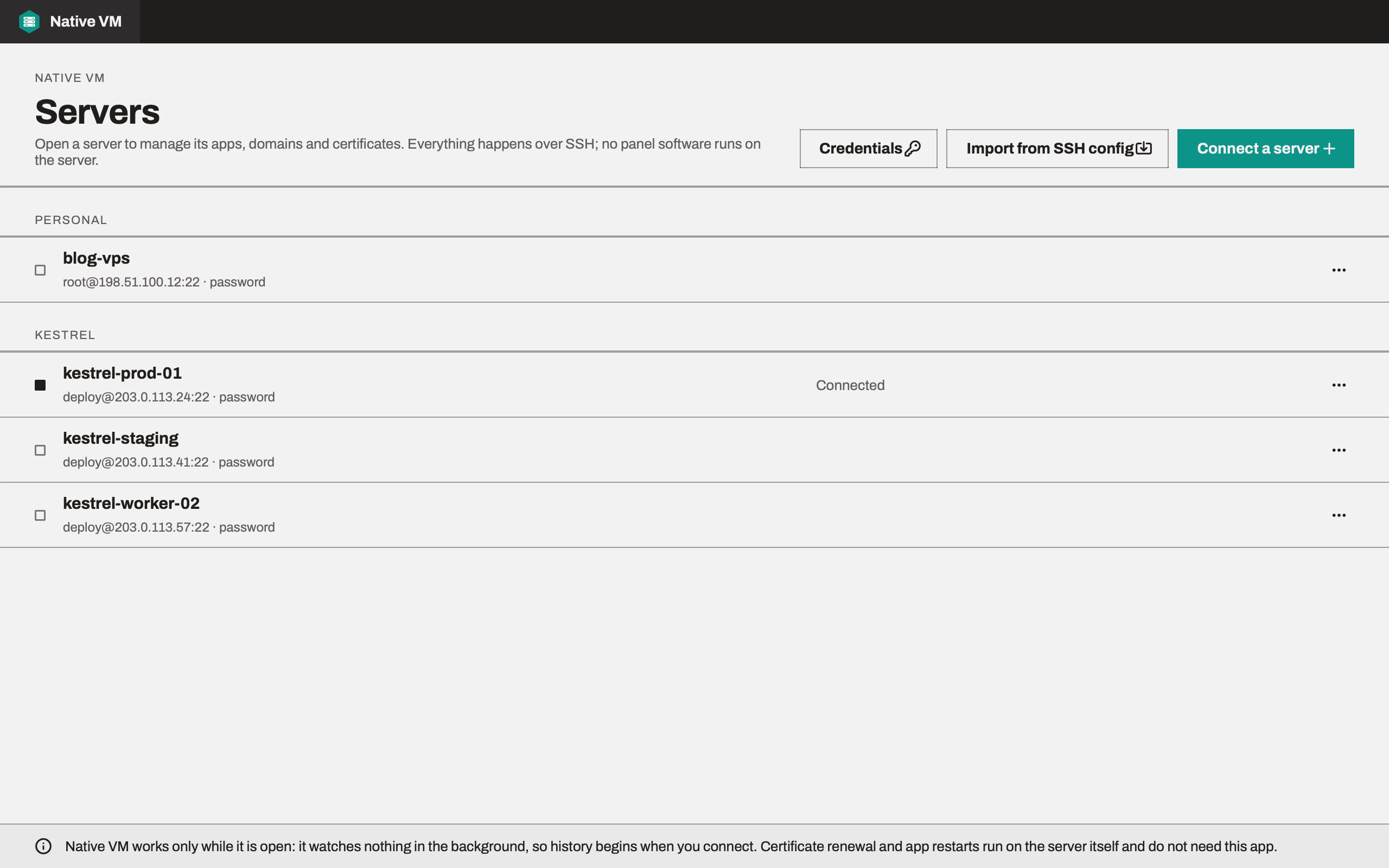
Each server gets its own window with its apps, domains, certificates, services, scheduled jobs, files and a terminal. No browser tabs, no control panel to log in to.
CPU, memory, disk and network, live. A crashed app or a certificate about to expire rises to the top, right beside the button that fixes it.
Let's Encrypt certificates in a click, issued once your domain points at the server and renewed on their own. You're warned well before one runs out.
Follow your app's output as it happens, and start, stop or restart a service in a click when something needs a kick.
Run tasks on a schedule, shown in plain words. See when each last ran and how it went, and pause one without deleting it.
When you want the command line, it's already connected. Open as many tabs as you like.
Adding a domain, turning on HTTPS or editing a setting: you see exactly what will change, and nothing happens until you press Apply. The original is backed up first, so it can always be put back.
Browse, edit, upload and move files on the server like folders on your desktop. A dropped connection never leaves a file half-saved.
Every process on the server, live, so you can see what's using the CPU and memory right now. It runs only while you're watching.
Clean up software you no longer need. Before anything is removed, you see exactly what goes with it and how much space you'll get back, and nothing else is touched.
Security and privacy
Native VM is a desktop app, not a cloud service. It does its work on your computer and connects straight to your servers, so there's nobody in between to collect your keys, passwords or tokens.
Your computer
Native VM, the app
Direct SSHEncrypted, no middleman
Your servers
Ubuntu or Debian
No Native VM cloud in between. The app contacts us for two things only: your plan, when you sign in, and updates, when you ask. Neither carries anything about your servers.
We never see your SSH keys, server passwords or Git tokens. There's no Native VM server in the middle to collect them.
The app does its work on your machine and talks straight to your servers. No cloud service of ours sees your servers, code or data.
Passwords and tokens are stored in your system's own keychain, or encrypted with AES-256 if you prefer. Never in plain text, never in a log.
Native VM remembers each server's identity and refuses to connect if it ever changes, so nobody can pose as your server.
No control panel, background agent or extra open port for an attacker to find. Between your actions, Native VM isn't there at all.
You review each change before it's made, and the original file is saved first, so anything can be put back.
Plans
Every plan includes one-click deploys, free HTTPS and the same security: your credentials stay on your computer either way. Pro lifts every limit and unlocks Advanced mode.
For a side project, a client site or two: everything you need to deploy, secure and run them.
What's included
For production fleets: unlimited servers, apps and scheduled jobs, every service on the server, and private repositories.
What's included
Plans are bought and managed in your account on toolxbd.com. Your apps keep running whatever plan you're on.
Questions
The documentation covers every screen. Still stuck? Write to toolxbd.info@gmail.com.
Download the Native VM beta, sign in, and connect your first server. From a bare VPS to an app on HTTPS in one sitting.
BetaVersion 0.1.0macOS, Windows and Linux